Connect Dodo Payments
Dodo Payments transactions land in Statiz in real time through a webhook you create in your own Dodo dashboard, refunds net out automatically, and Sync now backfills up to a year of history. The one Dodo-specific thing to know: keys belong to a single environment — pick the same mode in Statiz that you created the key in.
statiz.revenue() beacon, never both, or the same payment counts twice (why).Step 1: Create the webhook
In the Dodo dashboard, open Developer → Webhooks (app.dodopayments.com/developer/webhooks) and click Create.
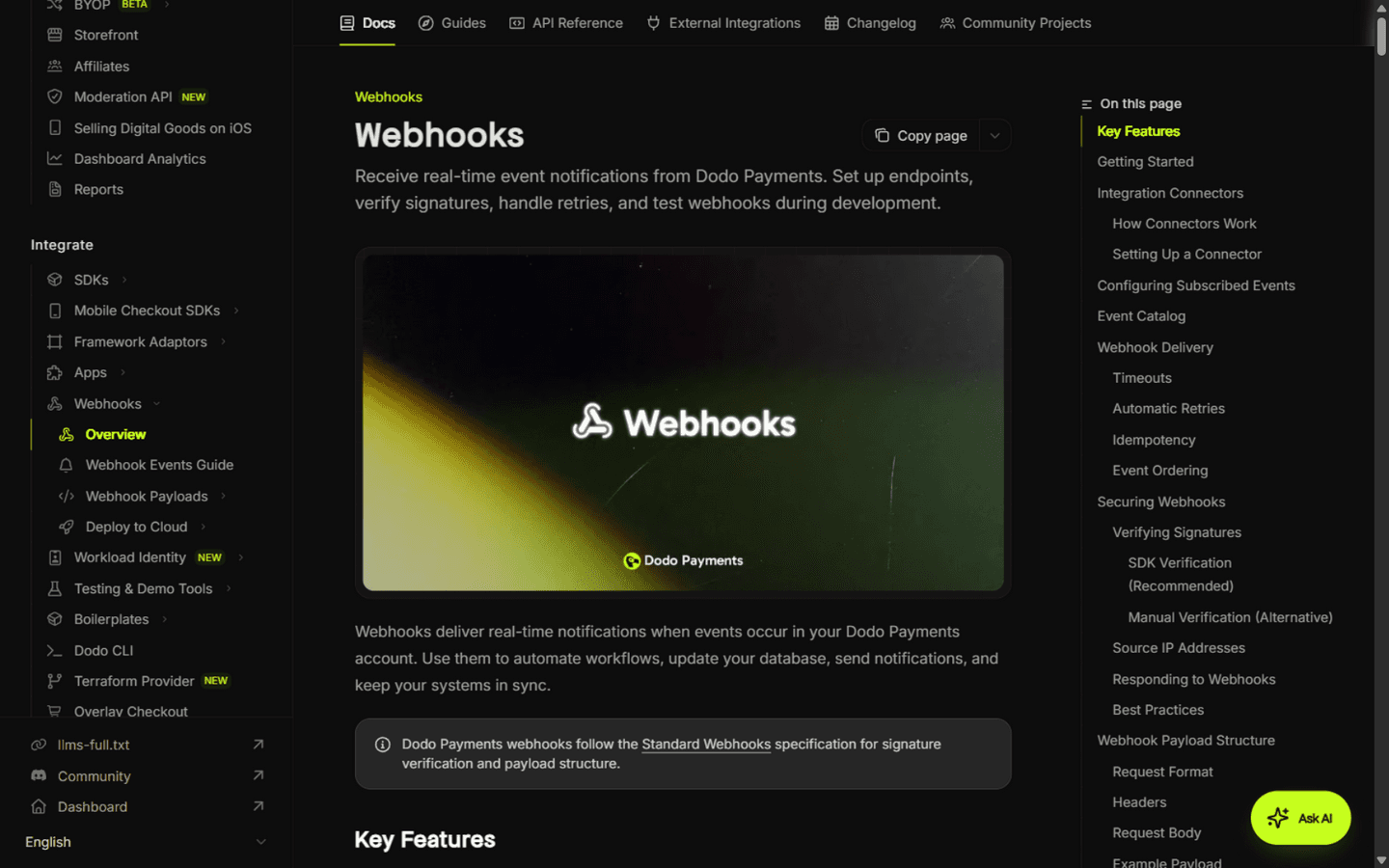
- Paste the Endpoint URL shown in Statiz under Settings → Revenue → Connect Dodo Payments — it looks like
https://your-statiz-url/api/webhooks/dodo/{your site id}. Statiz must be reachable at a public URL (localhost can't receive webhooks — deploy first or use a tunnel). - Select exactly these two events:
payment.succeeded— a completed payment (a positive revenue row)refund.succeeded— a completed refund (a negative row)
- After creating the webhook, copy its signing secret (
whsec_…) — you'll paste it in Step 3.
Step 2: Copy your API key
In the Dodo dashboard, open Developer → API Keys and copy a key. A read-only key is enough — Statiz only lists payments and refunds to backfill, and never writes to your Dodo account.
Dodo keys carry no test/live marker, but each key belongs to exactly one environment. Statiz connects against production — copy the key from your Production environment (sandbox keys are not accepted).
Step 3: Connect in Statiz
Open your website in Statiz, go to Settings → Revenue, pick Dodo Payments as the provider, then paste the API key and the whsec_… signing secret and click Connect.
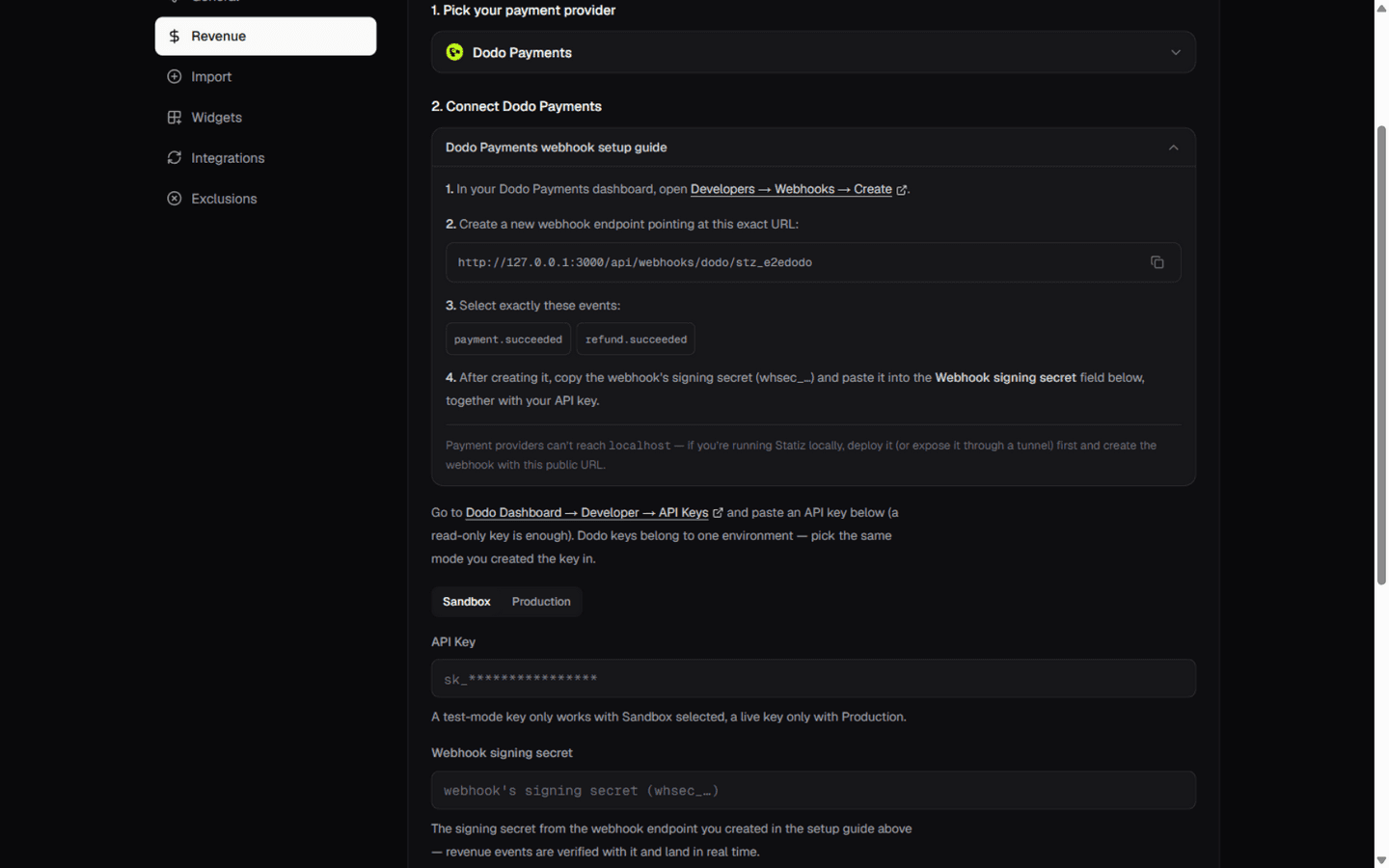
Statiz verifies the key with a one-item payment list (which also proves it works against the production environment), encrypts both values with AES-256-GCM, and stores them. The card then shows your business's first brand name as the account label.
Step 4: Sync and verify
Click Sync now once connected. The first sync backfills succeeded payments and refunds from Dodo's API — up to 365 days — and reports how many were imported. Later payments arrive in real time through the webhook.
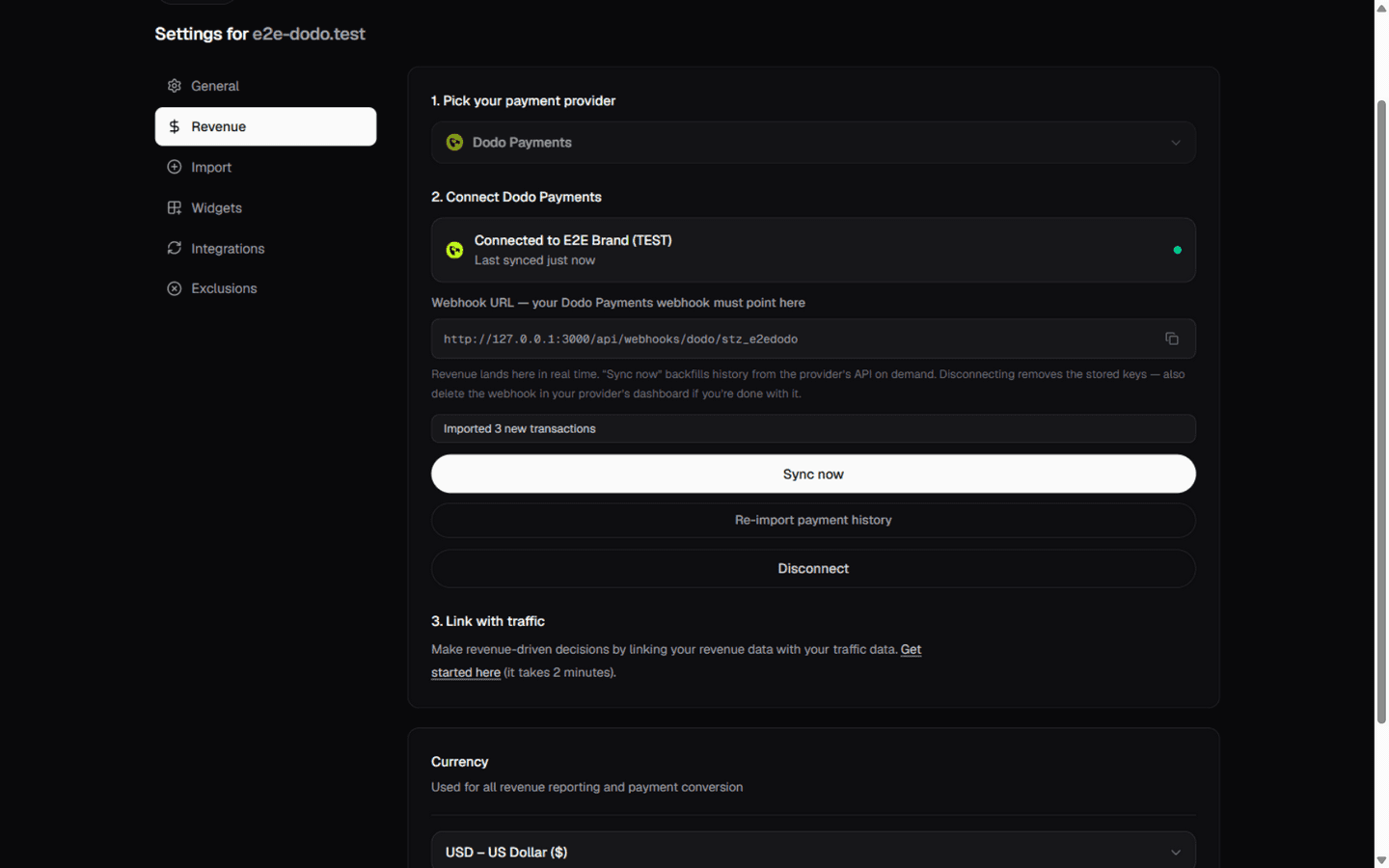
To verify the webhook end-to-end, complete a test payment and watch the Revenue tile on the dashboard jump. Duplicate deliveries and re-syncs are harmless — rows key on the Dodo payment and refund ids, so nothing is counted twice.
Notes & caveats
- Dodo revenue counts
total_amount— the charged total including tax. - Payment-method-update charges (zero-amount) are skipped — they are not revenue.
- To attribute payments to tracked visitors, pass
statz_visitor_idin the payment'smetadata(or the customer's metadata) at checkout creation — the full recipe is in Link payments to visitors. - Dodo retries failed deliveries eight times with exponential backoff; Statiz acknowledges everything it processed, so retries are always safe.
- Disconnecting removes the stored key and secret — also delete the webhook in Dodo's dashboard if you're done.