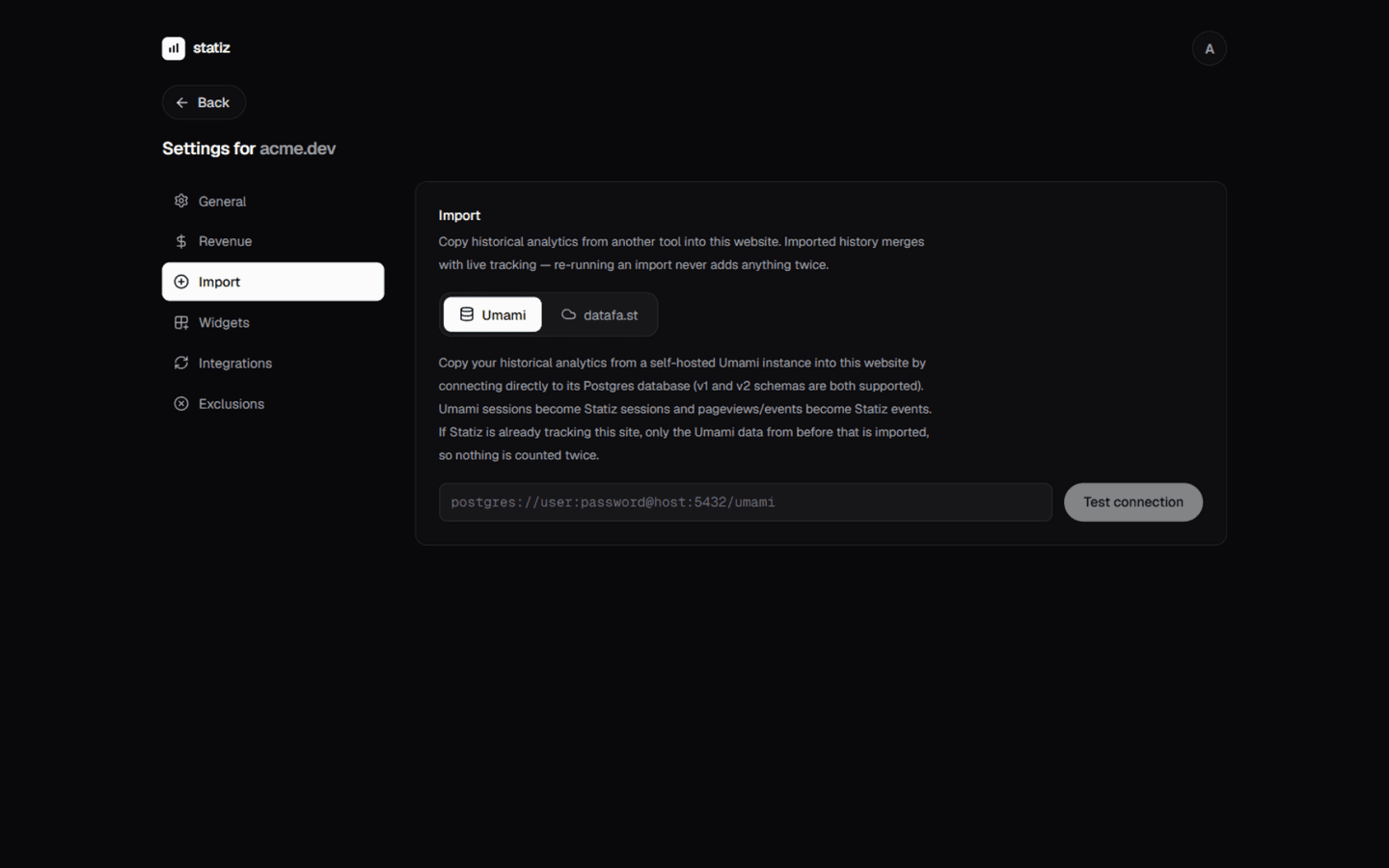
Import from datafa.st
Moving from datafa.st? Bring your history with you. The importer walks datafa.st's API with a key you paste once and copies every visitor's past into this website — the dashboard, the visitor lists, the breakdowns and your goals all fill up with real history, merged with the traffic statiz itself records from now on. Nothing is counted twice, and running the import again never adds anything twice either.
What gets imported
Each datafa.st visitor becomes one statiz visitor — with every pageview, the country/region/city they browsed from, their browser, OS and device, their screen size, and the custom goals they completed. Sessions are rebuilt with the same rule statiz uses live: a new session starts after 30 minutes of inactivity, so bounce rate and session times carry over faithfully.
A visitor's first-visit source comes along too:
- Referrers (
Google,X, a blog that linked to you…) become the session's source and channel. - UTM parameters (
utm_source,utm_medium,utm_campaign…) and simple campaign params (?ref=,?via=,?source=) keep their values, so your Channels and Campaign tabs show the same breakdowns you know from datafa.st.
/docs/track-revenue covers the whole setup).Step 1: Create a datafa.st API key
statiz needs a datafa.st key to read your analytics. Two kinds work — pick whichever is easier:
- A website key (starts with
df_) — created on datafa.st under Website settings → API for the site you're moving. This is the simplest option: the key belongs to exactly one website, and statiz knows right away which site it is. - An account token (starts with
dft_) — created on datafa.st under Account settings → API. Give it theanalytics:readandwebsites:readpermissions; statiz then lists your datafa.st sites and you pick the one this website is.
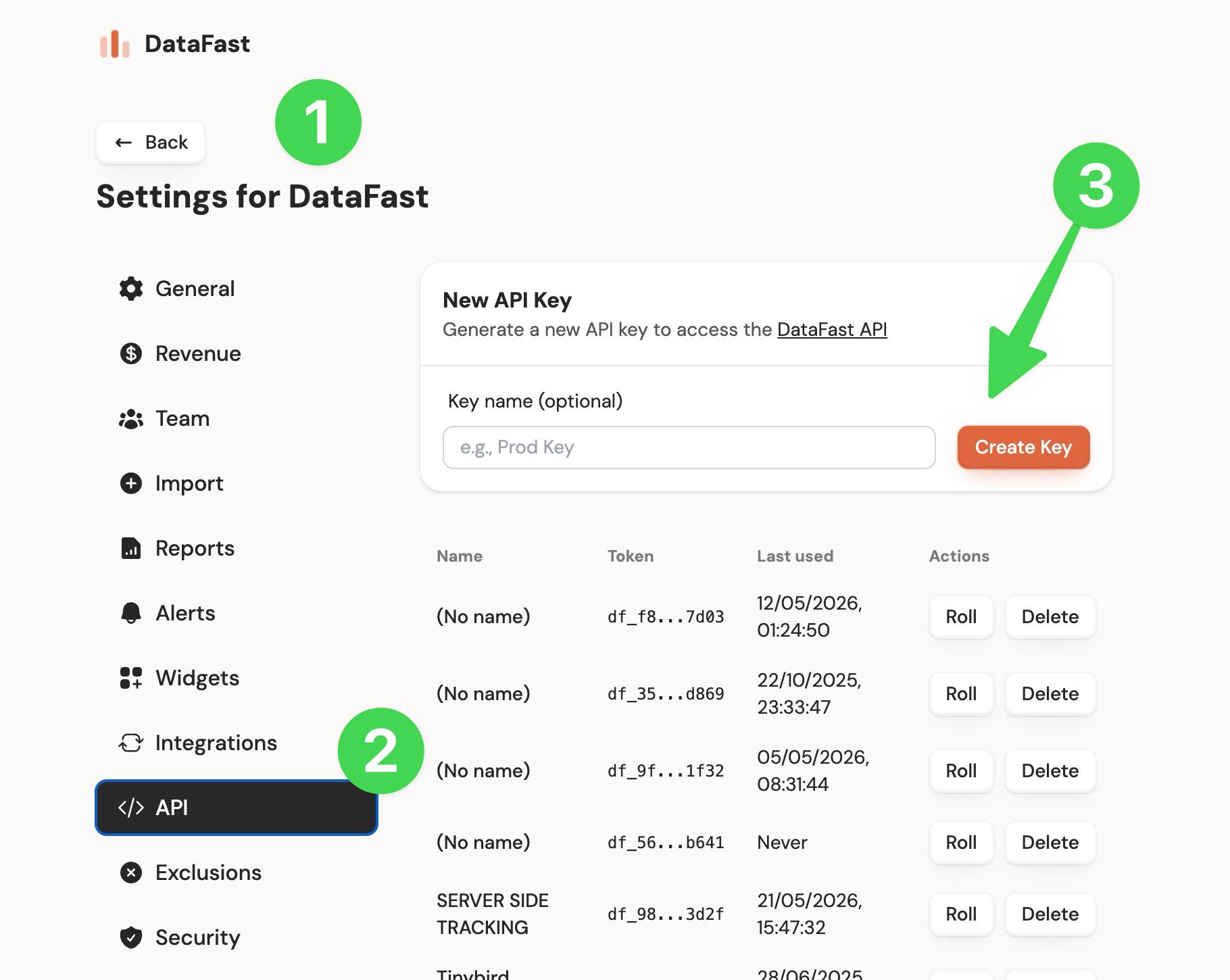
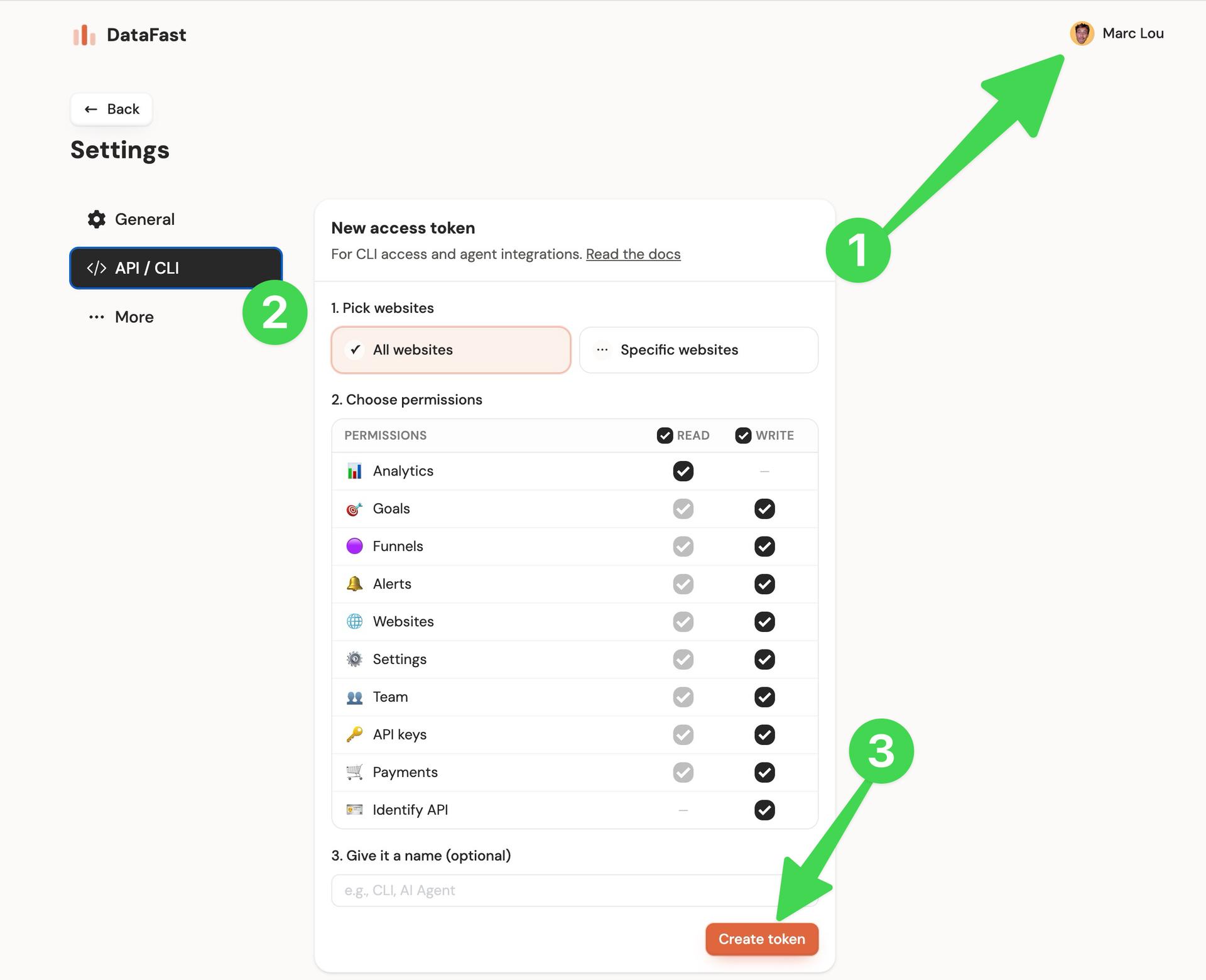
Step 2: Connect your site
- Open your website in statiz and go to Settings → Import, then pick the datafa.st tab.
- Paste the key and click
Connect. - A website key (
df_) resolves straight to its site — you'll see which domain it belongs to. An account token (dft_) lists every site it can see — pick the one that matches this statiz website.
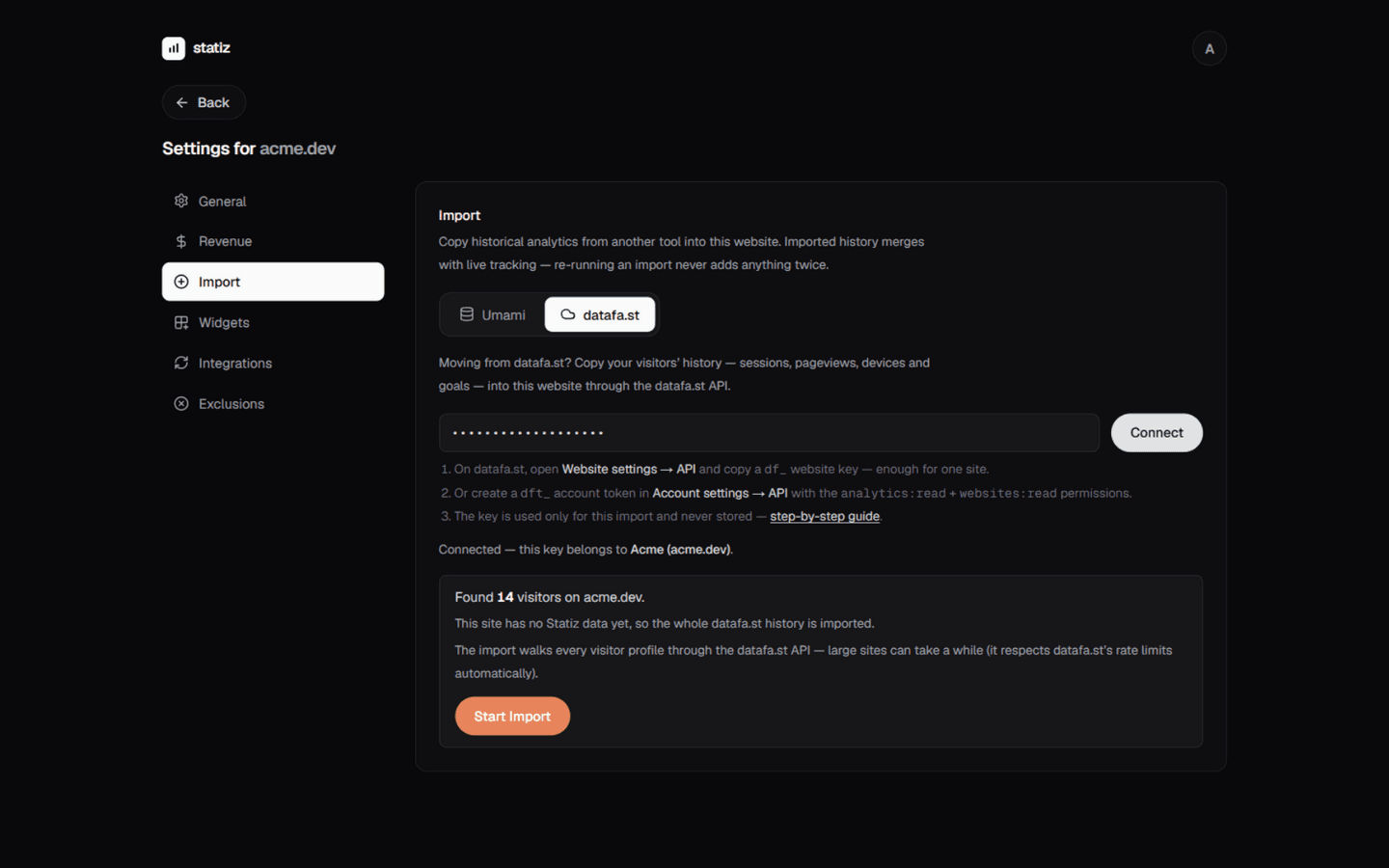
statiz then counts the visitors on that site and shows a summary before anything is written. If statiz is already tracking this website, the summary says so: only the datafa.st activity from before statiz started tracking is imported, so the overlap period is never counted twice.
Step 3: Run the import
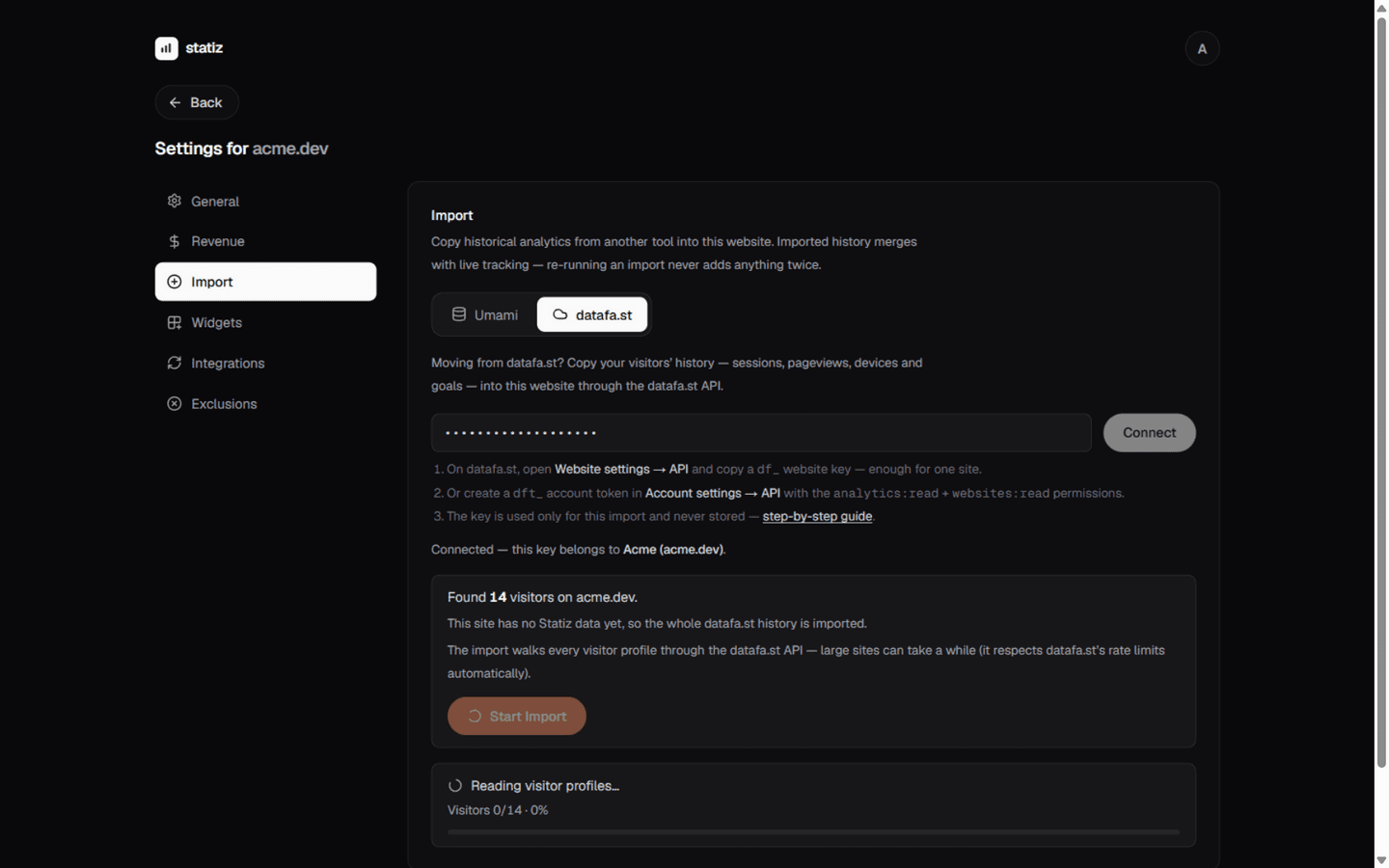
Click Start Import. The import first lists your visitors, then reads each visitor's profile one by one — you see live progress (Visitors 120/834) while it goes.
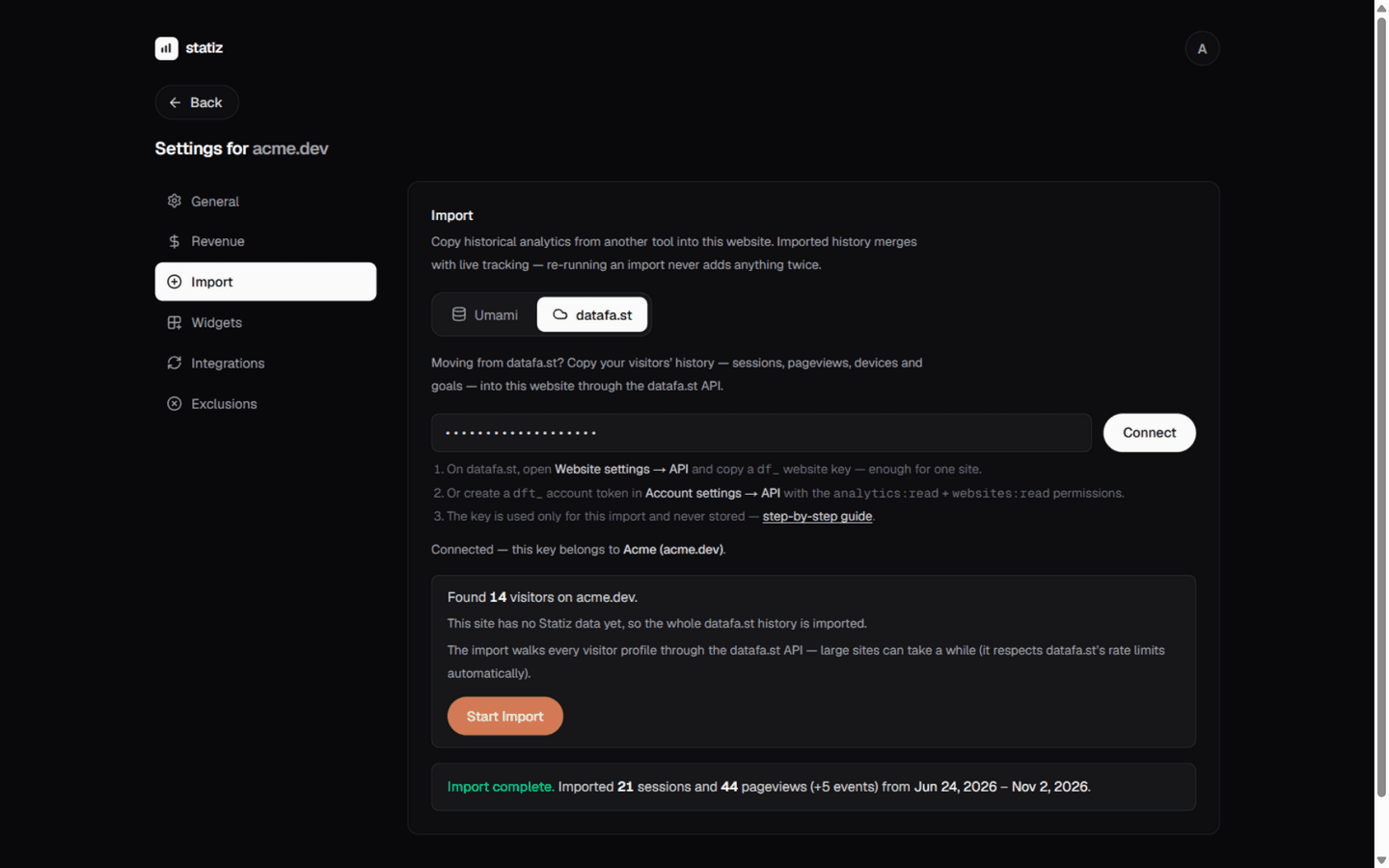
- The import runs on the server, so you can navigate away — come back to Settings → Import and run it again to see the final report.
- statiz respects datafa.st's rate limits and slows itself down automatically. Large sites simply take a while — the progress bar keeps moving the whole time.
- If anything interrupts the import (a server restart, a network drop), just run it again — it picks up where it left off and never adds anything twice.
After the import
Your dashboard now shows the full merged history: pick a longer date range (Last 12 months, All time) to see it. Specifically:
- Visitors, pageviews, bounce rate and session time cover the imported period.
- The Goals card lists every custom goal your datafa.st visitors completed, and conversion funnels work across the whole history.
- Channels, Campaigns, Locations and Devices show the imported sources, countries and devices — they land in the same rows as live traffic, not separate "imported" buckets.
- The Goals card's User tab lists your imported visitors with their full session history — click one to see every pageview in order.
Notes & caveats
- datafa.st doesn't export session boundaries — statiz rebuilds them with its own 30-minute rule, so session counts can differ slightly from what datafa.st showed.
- Only each visitor's first-visit source is available through the API. Returning visits without a referrer read as Direct, exactly like a live returning visit would.
- Pageviews on other hostnames (localhost, preview deployments) are skipped — the statiz tracker only accepts your site's own domain and its subdomains.
- For visitors with very long histories, datafa.st's API may cap the page list it returns; the import counts honestly what it could and couldn't copy.
- Importing from both Umami and datafa.st? The two imports are kept separate — statiz can't merge or deduplicate them, so if both tools tracked the same months (say, while you were evaluating them side by side), importing both counts that period twice. statiz warns you when it spots overlapping imported history and asks you to confirm before starting; the safe pattern is one tool per period.
- Coming from Umami instead? The same tab has a Umami importer that reads a self-hosted Umami database directly.